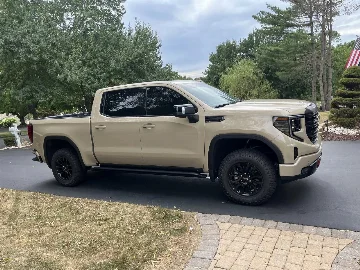
Carbyte (DFM disabler for 2024) limited giveaway

Question for the carbyte people; is there a downside to defeating the 0 cylinder coasting mode? Range claims you’re still putting fuel through the engine if you defeat the coasting mode. In coasting mode, are cylinders being deactivated through Dfm?

The 0-cylinder mode activates DFM (valves are not moving) and shuts off the fuel. Carbyte prevents both from happening once the 40mph condition is met (as explained in our previous post), with the only downside of using negligibly more fuel.
 

The 0-cylinder mode activates DFM (valves are not moving) and shuts off the fuel. Carbyte prevents both from happening once the 40mph condition is met (as explained in our previous post), with the only downside of using negligibly more fuel.
Great reply. Answered my question perfectly.
 

Alright, so I got it yesterday It came pretty quickly I gotta say which is always pleasing. Had a work event so wasn't able to install it until this afternoon when I swap back to my personal truck. Install took all of 4 mins if that. Can hear slightly different engine tone which sounds great and I did notice on my drive home that it would not read 99 mpg on the dash it would go as high as 49mpg on decelerations. So far I'm very pleased with the product, no hard shifting or anything that I had read about on this link before can definitely tell it's staying in V8 mode now. 👍👍💪💪 great product so far.

One question I do have is how do I tell if the auto stop/start disabled is working?

I believe i may have hit the button unknowingly as it's become a regular thing when i start up and take off.
 

“99 mpg as ‘DFM enabled’ indicator”

My last response about using instantaneous fuel consumption value as an indicator of DFM status created some confusion. Sorry about that.

TL;DR - The meaning of “99 mpg” depends on the model year and driving conditions, so it is not a 100% reliable indicator of DFM status. If you are interested in the nuances and technical details, read on.

Late 2022+ Models

In late 2022, GM introduced a new management system into their trucks and SUVs that significantly differs from the earlier implementations. The new system prevents the complete deactivation of DFM until the vehicle speed exceeds 40 mph at least once. Until this happens, you may occasionally see “99 mpg” during deceleration. However, once the 40 mph speed threshold is reached, Carbyte is able to deactivate DFM for the remainder of the drive cycle and the instantaneous fuel economy value becomes a reliable indicator of the DFM system status (99 mpg = DFM active).

To be clear: the vehicle speed needs to reach 40 mph just once for Carbyte to fully deactivate the DFM system. It then remains deactivated at any speed (0+ mph) for the remainder of the drive (until the engine is turned off).

Early 2022 and Older Models

On older vehicles, Carbyte is able to deactivate AFM immediately after engine start. Unfortunately, on these vehicles instantaneous fuel economy value is not a reliable AFM status indicator. Carbyte disables AFM but does not disable fuel cutoff on deceleration, which shows up as “99 mpg”. The good news is, many of these vehicles display the AFM status on the instrument panel (“V4/V8”).

Other Ways to Tell If AFM/DFM Is Active

On some models, it’s easy to tell when AFM/DFM activates based on the characteristic change in engine sound and vibration. We are looking into the possibility of adding an AFM/DFM status indicator to the Carbyte app.

So with my 2023 6.2L...once I hit 40 and the DFM is disabled...I should never see my fuel mileage hit 99?

I ask because with running the Range product, I do see it hit 99 mpg on deceleration. Just want to ensure I'm clear on what to expect when I remove the Range product and install the Carbyte.
 

So I bought the Carbyte for my 2023 Sierra 1500 5.3L and the DFM deactivation seems to work as advertised. However I’m getting random instances where the auto start/stop kicks back in even the though the says it’s turned off. I have the latest firmware and app update. Any reason this happens or is there a fix?
 

So I bought the Carbyte for my 2023 Sierra 1500 5.3L and the DFM deactivation seems to work as advertised. However I’m getting random instances where the auto start/stop kicks back in even the though the says it’s turned off. I have the latest firmware and app update. Any reason this happens or is there a fix?
Welcome.
 

So with my 2023 6.2L...once I hit 40 and the DFM is disabled...I should never see my fuel mileage hit 99?

I ask because with running the Range product, I do see it hit 99 mpg on deceleration. Just want to ensure I'm clear on what to expect when I remove the Range product and install the Carbyte.
That's the way carbyte explained it earlier in this post. You need to keep it at or above 40mph for a few seconds and then it will deactivate the DFM. You will need to do this during every drive cycle though as it'll "reset" once the truck is turned off.
 

So with my 2023 6.2L...once I hit 40 and the DFM is disabled...I should never see my fuel mileage hit 99?

I ask because with running the Range product, I do see it hit 99 mpg on deceleration. Just want to ensure I'm clear on what to expect when I remove the Range product and install the Carbyte.

You’re correct - once Carbyte disables DFM, 99mpg won’t show on your 2023 model.

So I bought the Carbyte for my 2023 Sierra 1500 5.3L and the DFM deactivation seems to work as advertised. However I’m getting random instances where the auto start/stop kicks back in even the though the says it’s turned off. I have the latest firmware and app update. Any reason this happens or is there a fix?

It’s a known issue and we already have a fix. It will be included in the next firmware update or you can install the beta firmware to fix it now (if you need help installing the beta version, reach out to us via https://support.carbyte.com and we’ll walk you through it).
 

I can clearly see when the Carbyte has kicked in because I don't see 99mpg when coming to a stop and I also don't hear the DFM kick in...very refreshing to not hear that anymore.

I am really happy with this so far! Any chances it'll be able to kick in at lower speeds with future updates?
 

I can clearly see when the Carbyte has kicked in because I don't see 99mpg when coming to a stop and I also don't hear the DFM kick in...very refreshing to not hear that anymore.

I am really happy with this so far! Any chances it'll be able to kick in at lower speeds with future updates?
Thank you for the great feedback! Unfortunately, it is unlikely that we will be able to make Carbyte lock in DFM disable before the 40 mph mark. As far as we can tell, it's not possible to do without modifying the GM ECU firmware.
 

Thank you for the great feedback! Unfortunately, it is unlikely that we will be able to make Carbyte lock in DFM disable before the 40 mph mark. As far as we can tell, it's not possible to do without modifying the GM ECU firmware.
Fair enough. I will say it's amazing to not hear the DFM kick in when coming to a stop...really makes for a better driving experience.

How about disabling the auto parking brake lol. Damn thing kicks on even on flat surfaces...
 

...

How about disabling the auto parking brake lol. Damn thing kicks on even on flat surfaces...

I complained about the parking brake. Then it was explained to me, that the trucks are programmed to set brake every so often if it's not used. gm thinking it will keep from freezing up, not being used.

Atleast it will auto-release when accelerating away.
 

New Posts

Most reactions

Back
Top