Carbyte (DFM disabler for 2024) limited giveaway

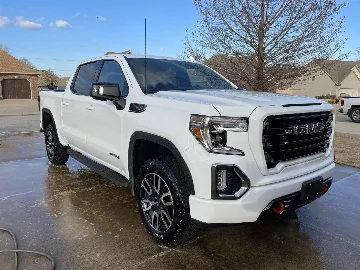
Plugged in Carbyte this evening and could not get it to sync until I updated firmware. Once done went on a stop and go dive through the city then about 10 miles round trip along a country highway. I love my AT4 again. No engine start stop, better throttle response and smooth consistency in engine performance vs when cylinders would be active/inactive.

Can Carbyte work on a way to remove or raise the speed limiter of 97mph? The 6.2 should be allowed to run off leash when needed.

Thank you for the feedback! Not sure that we can do the speed limiter; besides the technical challenges there are safety & liability ramifications.
 

I don't know if these gassers are the same as the L5P, I'm assuming they are. GMC now has security built in so that you cannot reprogram their software. At least no one has so far that I am aware of. I continually ask BANKs Engineering to accomplish this feat and produce a Derringer for 2024 and beyond...
Well that or sell the R866S to the public.

Carbyte - as someone with no dog in this hunt; I would like to say you guys are amazing!
 

No the QR code in the directions is just for IPhones, and not android. Was suggesting to add another QR code for Android users is all.
Got it. And yes, I noticed that also. No big deal to just go to the Play store, but I was worried there would not be an Android Carbyte app as there was no QR code for it in the instructions, but of course there was an Android Carbyte app.
 

What specific OBDlink app should I install off the Play store? I searched OBDlink in the play store, but a number of them came up.
 

I installed mine today. I really cannot tell a difference in the way it drives. It definitely eliminated the auto start though. Is there any way to know for sure it is staying in 8 cylinders all the time ?

Thanks
 

My apologies for the delay in response. Let me quickly address the new questions (and a couple I missed before):

I've done some more looking at the options for the Auto Start/Stop "delete". Is the Carbyte compatible with the 3.0 Duramax? If not is this something you all are working on?
Unfortunately, Carbyte does not support diesel vehicles.

Searching for a DFM disable last night. Found another company claiming to be first to market. Let me know if you have a solution for a 2024 Sierra with a 6.3 V8. I changed my mind and traded up to a full size from the AT4. (Not ghosting this group but had not quit the group and received your challenge blog and thought it was worth a try.)
Carbyte supports the 2024 Sierra 6.2L V8. You can check compatibility with other vehicles here: Carbyte Supported Vehicles List.

What specific OBDlink app should I install off the Play store? I searched OBDlink in the play store, but a number of them came up.
Our apps are released under OBD Solutions, LLC account - here's the direct links to both Android and Apple versions of the OBDLink app.

I installed mine today. I really cannot tell a difference in the way it drives. It definitely eliminated the auto start though. Is there any way to know for sure it is staying in 8 cylinders all the time ?
You can use the instantaneous value from the “Fuel Economy (mpg)” gauge on your truck’s dashboard. Without Carbyte, when the DFM kicks in during deceleration (at speeds above 40 mph) the gauge will occasionally show 99 mpg. You should not see 99 mpg in the same situation with Carbyte.
 

Last two days of freeway driving back and forth to work. No issues just fun driving time.

Friday will have a several hundred mile round trip to The Dalles and back. Good gas mileage average test with device in.
 

Hello, I would like to try it and give you a full review. Let me know if you still have one for me to try. 6.2 L V8 Thank you! RHanck
 

Last edited:
Just wanted to give an update. Everything is still work as it is supposed to - which is very well. AFM stays off, auto stop/start stays off. Truck runs and drive well. Very happy with this product!

I downloaded the OBDlink app for Android. It synced easily with the Carbyte device and my phone. It is really great. Gives a lot of info one otherwise wouldn't have. The best part is I had no idea this was even a feature of this Carbyte product. It is really nice to be able to see different engine, speed, MPG, etc specs as the truck is running and driving. I am tempted to set up one of my old android phones with the app installed and then mount the phone in my truck so that I have these diagnostics and info right there without having to open my daily use phone.

Thanks again to Carbyte!
 

You can use the instantaneous value from the “Fuel Economy (mpg)” gauge on your truck’s dashboard. Without Carbyte, when the DFM kicks in during deceleration (at speeds above 40 mph) the gauge will occasionally show 99 mpg. You should not see 99 mpg in the same situation with Carbyte.
I am seeing 99 on my instant fuel economy gauge during all deceleration from all speeds with the Carbyte device.
 

If this is plugged into the ODB port will it also interrupt/block sending info to the GMC app
 

I am seeing 99 on my instant fuel economy gauge during all deceleration from all speeds with the Carbyte device.
*Edit* Interesting - I am observing the fuel economy go to "99" only when decelerating under 40mph *sometimes*. @Carbyte is this normal? Does the 99 mpg mean the DFM is shutting down cylinders?

*Edit* I have kept the truck on the instant fuel economy screen of the DIC the past few drives and have not noticed the fuel economy go to "99" while decelerating. I did notice this condition during the first few drives after installing the device.
 

Last edited:
One week in, no issues, works perfectly. This is a fantastic product, easy to install, and easy to use. Only problem I'm having is getting the OBDLink app to work with it. I'll take some more time to see if I can get it up and running.
 

Back
Top