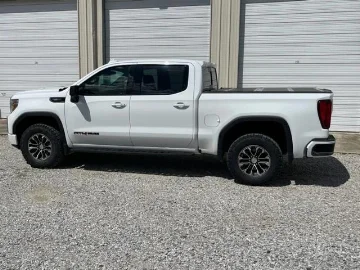
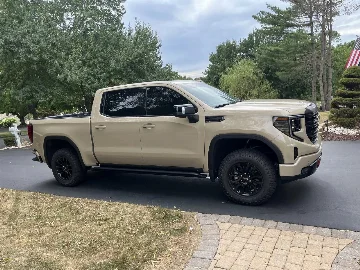
Added oem tailgate lights repurposed for footwell lights...

Attachments

  • IMG_5713.webp
    IMG_5713.webp
    90.5 KB · Views: 79
@joegolden it’s the rear black plug.

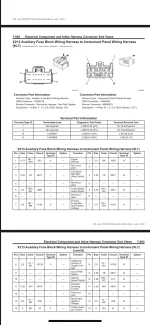
@john151ama I found that the factory upfitter plug has led back light dimming control. I jumped my lights to this to try (pin 3) but it did not power them. Any ideas?
I wonder if pin 3 is the dash mounted sensor that detects light to control dimming? That is how I would interpret that.

I would go a bit further and see if these have the fuses installed or if you need to plug those in. If this is used for the Upfitter fuses may not be installed.

I would also try pin 8. That is 5v it looks like for the Upfitter. I assume that is 5v ignition controlled so that should apply 5 v when ignition is on which is what you want for leds that are active while the vehicle is on. Looks like you are close to the solution!!
 

So I did some more testing. I only have 6 wires not the 8 as shown in the diagram. The wire that is missing is the 3 Pin. I’m thinking X5 Pin 6 may do what I want. Or do you think that’s for the daylight/night sensor?
 

I don’t have the schematic up and don’t remember all the BCM’s and pins. I would need to look through that again. I would just go to fuse 27 or 28 on the passenger side dash fuse box. Those are the USB and accessory power supplies. I used those for the control power for my switch panel, when you turn on acc or ignition those come on which is what I wanted for my auxbeam switch panel. Also use those for my audio system amp remote turn on. Should be perfect for your need, on with the vehicle so lights are on while you are driving. Fuse tap there is probably easier than finding an empty pin slot that does what you want or tying into existing circuit that you have to be careful not to overload and fault.
 

For BCM I would look to see what BCM and pin corresponds to pin 8 on the Upfitter harness you posted above. I think that pin 8 is what you want for led power when truck is on but need to see where that goes so you can access it if you don’t want to go fuse 27/28 route. All you are looking for is constant power with the truck on.
 

This is by far the best thread I have found on this. I have fixed side steps that I want to add leds to (4total). They are 480mw at 12vdc each. Does anyone know if x1 p1 can support that much power out or do I need to get creative and connect the leds through a small relay?
 

This is by far the best thread I have found on this. I have fixed side steps that I want to add leds to (4total). They are 480mw at 12vdc each. Does anyone know if x1 p1 can support that much power out or do I need to get creative and connect the leds through a small relay?
Welcome.
 

This is by far the best thread I have found on this. I have fixed side steps that I want to add leds to (4total). They are 480mw at 12vdc each. Does anyone know if x1 p1 can support that much power out or do I need to get creative and connect the leds through a small relay?
Welcome!
 

This is by far the best thread I have found on this. I have fixed side steps that I want to add leds to (4total). They are 480mw at 12vdc each. Does anyone know if x1 p1 can support that much power out or do I need to get creative and connect the leds through a small relay?
Glad you are finding it helpful!

My rule to date has been not to add more than an amp to the factory circuits. I have added lights and accessories all over this truck and tied many to existing circuits following that rule. I have not yet experienced any faults, failures, or problems and sure want to keep it that way! With them being monitored circuits I do not believe you could add very much, like double the load and not expect problems.

So I may have errored too much on the side of caution but 1 amp additional is my max and recommendation. Many of my adds are at or below an amp. All that are over I have gone the relay route.

So for the running boards I would tap X1 Pin 1 and use that as the trigger wire to a relay with a constant battery feed power. I personally would run a power wire with fuse through the passanger side fire wall and cross that wire over to driver side under the dash. There mount the relay by the BCMs so it’s inside and protected and run your X1 Pin 1 to the trigger. Ground it the one of the ground points by the BCMs then run you outputs down the driver door sill and out of the cab through a hole in the driver door sill and down to the running boards and across to the other side.

Wish I knew the magic load number but haven’t found it. Hope some of this helps.

I did that approach tying and additional set of fog lights to the OEM circuit and no issues at all. Achieve the factory control without the loading.

 

Glad you are finding it helpful!

My rule to date has been not to add more than an amp to the factory circuits. I have added lights and accessories all over this truck and tied many to existing circuits following that rule. I have not yet experienced any faults, failures, or problems and sure want to keep it that way! With them being monitored circuits I do not believe you could add very much, like double the load and not expect problems.

So I may have errored too much on the side of caution but 1 amp additional is my max and recommendation. Many of my adds are at or below an amp. All that are over I have gone the relay route.

So for the running boards I would tap X1 Pin 1 and use that as the trigger wire to a relay with a constant battery feed power. I personally would run a power wire with fuse through the passanger side fire wall and cross that wire over to driver side under the dash. There mount the relay by the BCMs so it’s inside and protected and run your X1 Pin 1 to the trigger. Ground it the one of the ground points by the BCMs then run you outputs down the driver door sill and out of the cab through a hole in the driver door sill and down to the running boards and across to the other side.

Wish I knew the magic load number but haven’t found it. Hope some of this helps.

I did that approach tying and additional set of fog lights to the OEM circuit and no issues at all. Achieve the factory control without the loading.
Thanks for the reply. You confirmed what I was thinking as well. The leds should only draw could draw 160Ma which seems pretty low even for a trigger wire. I may go ahead and buy a relay to use just in case.If I use it I will follow your advise and mount the it near the bcm. Need to come up with a clean way to tie all of the wires together underneath the truck. I want it to appear factory. I will let you all know what I do to make it work.
 

Finally finished my running board light project. It took some time and patience to figure out how to run all of the wiring as well as how to tie into the existing truck harness

The lights operate as the dome lights do. When any door is opened the running board lights illuminate. When the doors close the lights go out.


Materials:


I started by installing the LEDs into the running boards. To minimize wires I needed to run to the cab I spliced the rear running board light to the front light and leveraged the 18ga wire to run over to the drivers side. I performed the same process on the drivers side and then spliced the drivers side to the passenger side and ran a single 18ga wire into the cab. I mounted the fuse holder to the right of the OBD-II port on the sheet metal. I installed the relay on the inside of the kick panel on the drivers side.

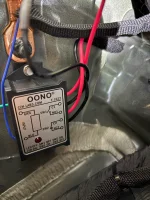
Once there I connected the relay and the ground from the 18ga wire to the existing grounds inside the kick panel. I then used a +12V wire and the no strip wire connectors to tap into the orange wire. Then run that to the output of the relay. Then connect the Normally Open contact of the relay to the “red” 18GA wire connected to the LED lights.

Run the door ajar signal wire (GM-19370262) to the input of the relay. See attached pic for X1 connector reference.
 

Attachments

  • X1 Plug V1.webp
    X1 Plug V1.webp
    135.5 KB · Views: 74
  • Fuse Holder Mount.webp
    Fuse Holder Mount.webp
    177 KB · Views: 81
  • Relay Mount.webp
    Relay Mount.webp
    227.6 KB · Views: 81
  • Running Board Video.mp4
    18 MB
Finally finished my running board light project. It took some time and patience to figure out how to run all of the wiring as well as how to tie into the existing truck harness

The lights operate as the dome lights do. When any door is opened the running board lights illuminate. When the doors close the lights go out.


Materials:


I started by installing the LEDs into the running boards. To minimize wires I needed to run to the cab I spliced the rear running board light to the front light and leveraged the 18ga wire to run over to the drivers side. I performed the same process on the drivers side and then spliced the drivers side to the passenger side and ran a single 18ga wire into the cab. I mounted the fuse holder to the right of the OBD-II port on the sheet metal. I installed the relay on the inside of the kick panel on the drivers side.

Once there I connected the relay and the ground from the 18ga wire to the existing grounds inside the kick panel. I then used a +12V wire and the no strip wire connectors to tap into the orange wire. Then run that to the output of the relay. Then connect the Normally Open contact of the relay to the “red” 18GA wire connected to the LED lights.

Run the door ajar signal wire (GM-19370262) to the input of the relay. See attached pic for X1 connector reference.
Fantastic!! Nice job. Glad it all worked out
 

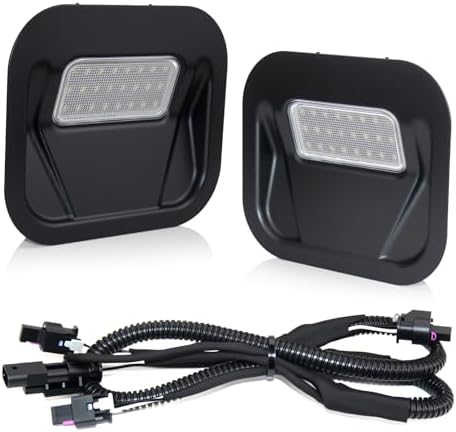
Ordered an extra pair of tailgate lights to convert to footwell lights. Kit came with a wiring harness which made it like oem.

Used a bottle torch to heat the Stanley knife to "mill" the kick panels on the center console.

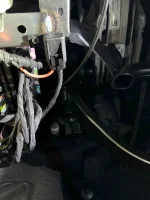
Wiretapping into the BCM, making the footwell lights work with cab lights. They dim down like the rest. Did not use a relay, as each light draws .7 watts.

Wiring harness was just the correct length.

View attachment 7462


View attachment 7463

View attachment 7468

View attachment 7470

View attachment 7464

View attachment 7465

View attachment 7466

View attachment 7467

View attachment 7469
Where is the bcm and where and how do you connect to it ?
 

New Posts

Most reactions

Back
Top